One task a day.
Finish it.
Repeat.
Every other to-do app helps you collect tasks. That One Thing makes you finish one. Pick the thing that matters, and you can't add another until it's done.
- Free to use
- No ads, no tracking
- iCloud sync
- 34 languages
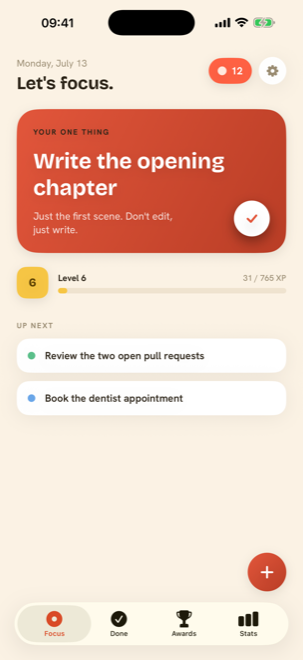
Your to-do list isn't broken. Its length is.
Twelve half-finished projects compete for the same attention. So you reorganise the list instead of doing anything on it. Sound familiar?
A backlog is a to-don't list
Every unfinished item is a small reminder that you're behind. Twenty-seven of them is a mood, not a plan.
Choosing burns the fuel
Deciding what to do next costs the same attention as doing it. Pick once, in the morning, and stop deciding.
Finishing is the feeling
One completed thing beats six touched ones. The app is built around the moment you tap it done.
Three taps. One finished thing.
No projects, no tags, no priority matrix. Set it, see it, done.
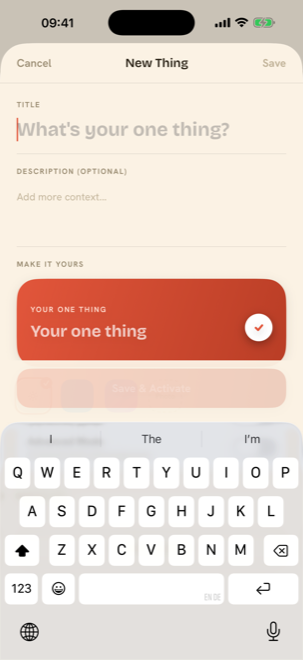
Name the one thing
Type it in plain language, add a note to yourself, and set a reminder for the time you'll actually do it.
Look at it all day
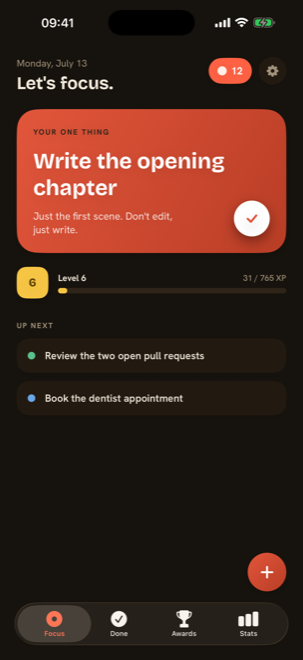
One coral card. Nothing else competing. It's on your home screen widget and your watch too, so it's hard to forget.
Tap it done
Confetti, a green check, streak +1, XP in the bank. Then it drops into your Done list as permanent proof.
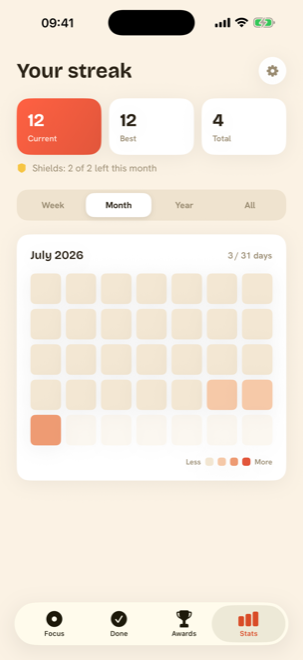
A streak you can't lose in one bad day.
Most streak apps punish you for being human. Here, a shield covers the day you missed, so three weeks of showing up doesn't evaporate because of one Tuesday.
Two of them were shielded.
- Done.You finished a thing that day.
- Shielded.A shield covered a missed day.
- Today.Still open. Go fill it.
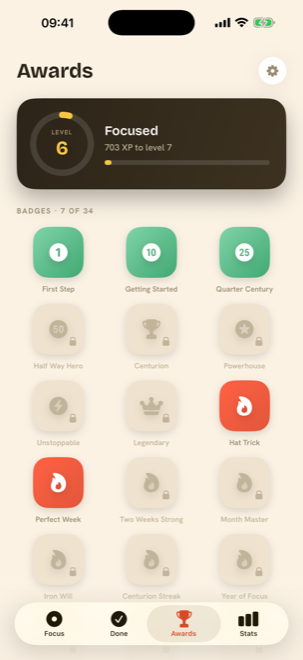
Every completion pays XP. XP becomes levels. Levels unlock a collection of 34 badges, from your very first finish to a full year of showing up.
The whole collection, in one grid.
Awards is the tab you open when you need a reason to keep going. A level ring, an XP bar, and 34 tiles that fill in one at a time, locked ones visible, so you always know what's next.
- Completion badges
- Streak badges
- Level milestones
- Unlock celebrations
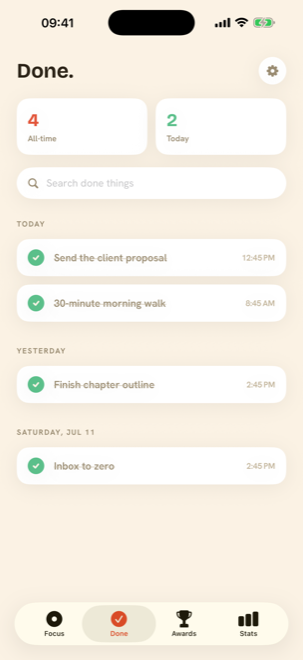
A record of what you actually finished.
Not what you meant to do: what got done, and when. Scroll back to last Tuesday and it's all there, timestamped.
finished
collect
a time
- Send the client proposal8:12 AM
- 30-minute morning walk7:05 AM
An ADHD task app that doesn't ask you to be organised first.
Most planners assume executive function you're trying to borrow. This one only ever asks a single question: what's the one thing today?
Try it free todaySmall app. Nothing missing.
Widgets & Watch
Home and lock screen widgets, a Control Center control, and a Watch app to tick it off.
Reminders that land
Nudge yourself at the hour you'll actually do it. Multiple reminders per thing.
Make it yours
Accent colours, app icons, custom backgrounds and fonts on your focus card.
Languages & access
34 languages, full VoiceOver support, Dynamic Type, dark mode, reduce-motion respected.
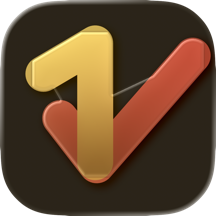
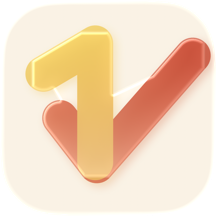
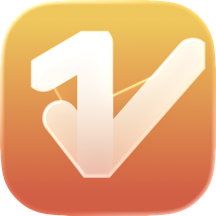
Pick your icon
Three finished app icons (chocolate, cream and gradient) so the app looks right on your home screen.
Light and dark, properly
Not an inverted screenshot: a second palette, drawn on purpose, in warm espresso.
Download it. Finish something today.
Free to download, and the whole method works without paying a penny. There's an optional Premium upgrade inside the app if you ever want more, nothing to decide right now.
- One task a day, front and centre
- Streaks, XP and levels
- All 34 achievement badges
- Widget, Watch app and reminders
- Done log, dark mode, iCloud sync
- 34 languages, no ads, no tracking
Questions people actually ask.
What is a "one thing a day" app?
Instead of holding a long list, it asks you to commit to a single task that matters today. That One Thing keeps it on screen, front and centre, and only lets you add another once it's finished.
Is it good for ADHD?
It's built for it. A single visible task removes the choice paralysis of a twenty-item list, completions give immediate XP feedback, and streak shields mean one bad day doesn't undo weeks of progress.
Is it free?
Yes. One task a day, streaks, XP, all 34 badges, the widget, the Watch app, reminders, dark mode and iCloud sync cost nothing. There's an optional Premium upgrade inside the app for multiple active tasks, streak shields, full stats history and customisation.
What happens if I miss a day?
A streak shield covers it. Miss a day here and there and your streak survives, so three weeks of work isn't wiped out by one hard Tuesday.
Can I ever have more than one task?
Yes, Premium adds multiple active tasks for days when you genuinely need more than one. The free app deliberately holds you to a single focus, because that's the part that works.
Does it work as a habit tracker?
Set the same thing each day and the streak, heatmap and Done log behave exactly like a habit tracker, with one difference: finishing is the only way a day counts.
Is there a widget and a Watch app?
Both. Home and lock screen widgets show today's one thing and your streak at a glance, plus a Control Center control and an Apple Watch app for marking it done from your wrist.
What languages does it support?
34, including German, French, Spanish, Portuguese, Italian, Dutch, Polish, Japanese, Korean, Simplified and Traditional Chinese, Arabic and Hebrew with right-to-left layout.
Where does my data live?
On your device, synced across your own devices with iCloud. No ads, no tracking, no analytics profile of your tasks.